
Free Plugins for Photoshop*
*and any compatible software
*and any compatible software
Wavy Lab 1.1
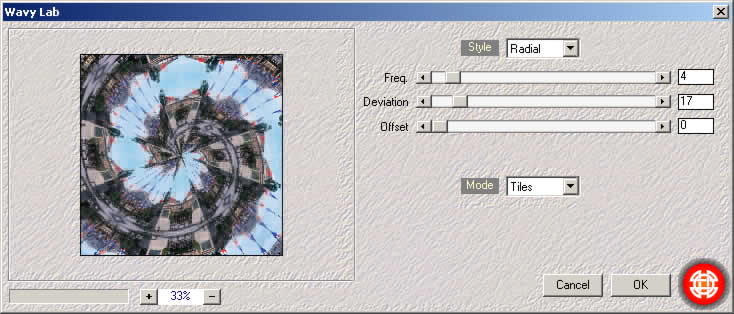
Wavy Lab offers numerous possibilities, distributed according to the Style and the Mode .
- If it is the first time that you use this plugin, then an overview of all its possibilities is available here. Now, i would like to insist on what's new in version 1.1, i.e:
- A great improvement of "displace" and "tiles" modes ("undersampling" fixed).
- Normal mode supports up to 4 colours.
Example 1: Note the improvement of the mode "displace" in the last version. (The same parameters were applied).
| Original Image | Version 1 | Version 1.1 |
|---|---|---|
 |
 |
 |
Example 2: Here, a new comparison with the mode "Tiles".
| Original Image | Version 1 | Version 1.1 |
|---|---|---|
 |
 |
 |
Example 3: Now "normal" mode supports up to 4 colours.
It means much more fun.
The rainbow below was obtained with the following colours: 

- Description of main controls:
- Freq: frequency, amount of "streaks".
- Angle: to turn the figure.
- Deviation: (radial style) changes spiral aspect. When frequency is low, this parameter varies abruptly the figure .
- Offset: shifts "streaks".
- Curvature: (bow style) changes bow aspect.
- Amount: (displace mode) warping intensity. The greatest displacement is 128 pixels.
- Direction: (mode displace) displacement orientation.
This plugin interests you? Click the link below.
Javascript, Please!